

Screenshots beat promises. This is a walk through the product as it looks today. Every image below is a real capture of the app with demo data, exactly what you and your students would see.
What Teacher and Me is
Teacher and Me sits between your lessons, not inside them. It doesn't schedule sessions, take payments or run video calls. It does one job: turn the practice your students should be doing between sessions into something structured, motivating and, crucially, visible to you.
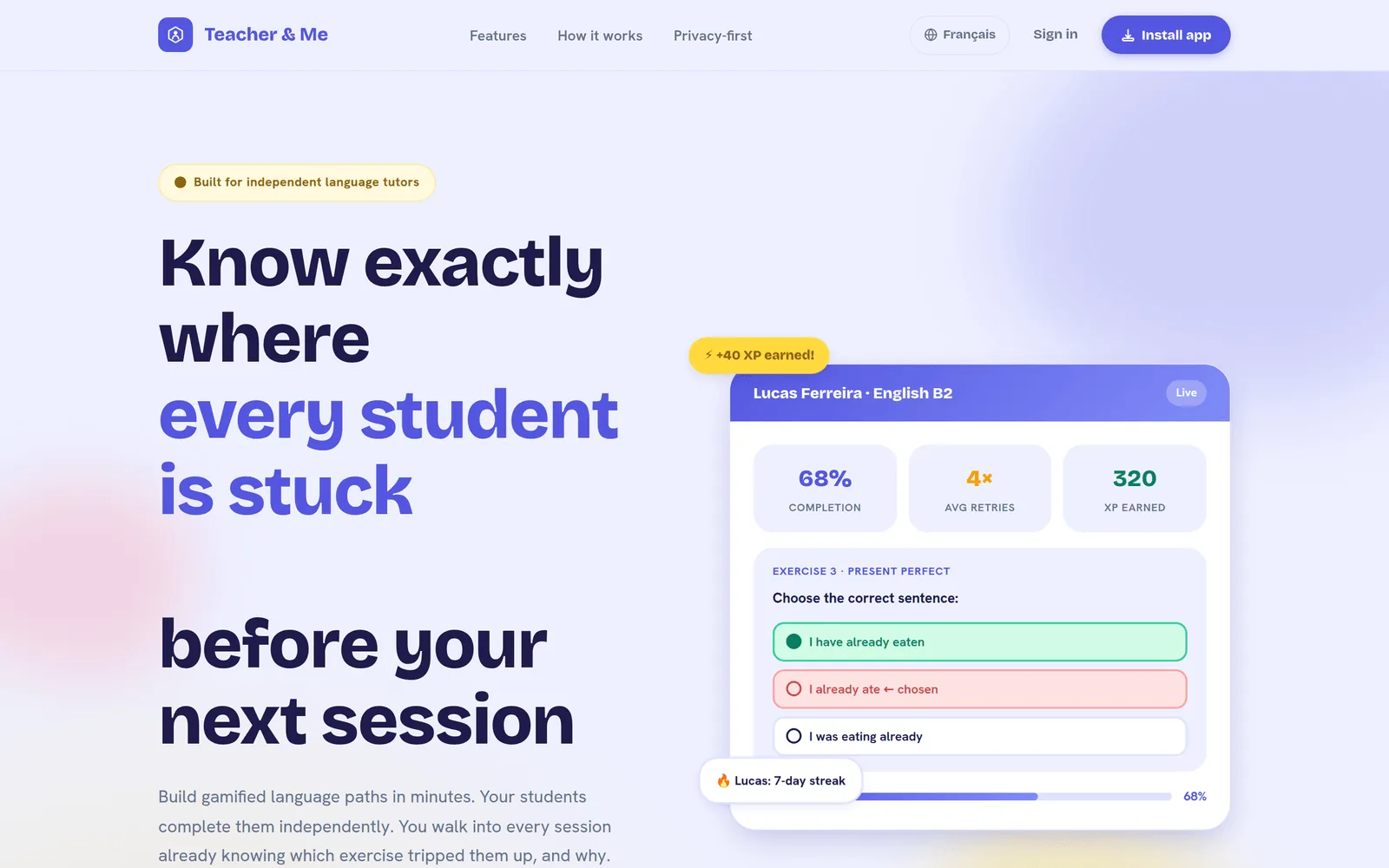
The product has two faces. Tutors get a calm, professional dashboard, closer to Linear or Notion than to a school LMS. Students get a warm, game-like experience with XP, streaks and a visual path to walk. Think Duolingo, except it runs on your content rather than a generic course.
The tutor side: build a path in minutes
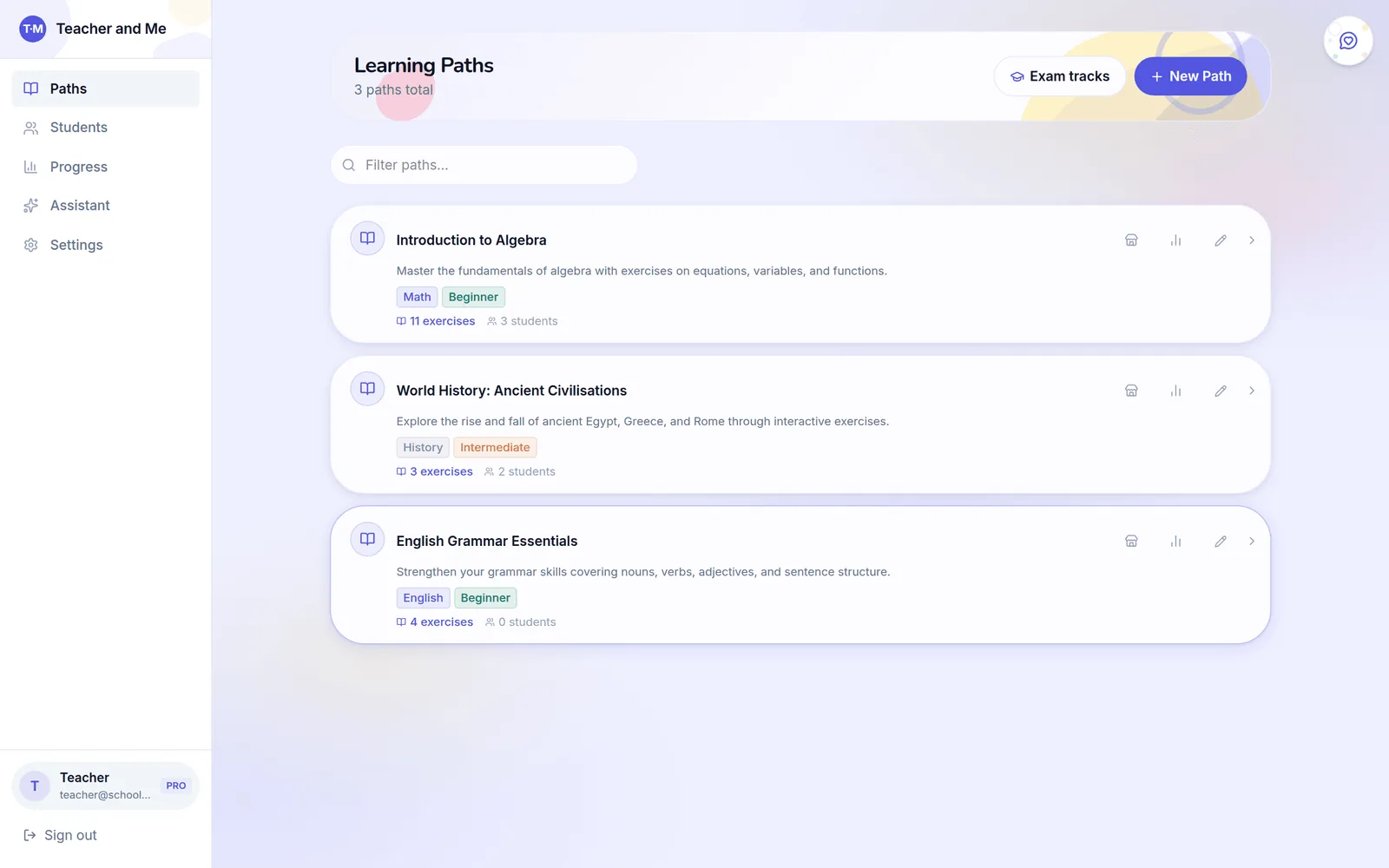
Everything you assign lives in a learning path: a sequence of lessons, each containing exercises. The dashboard lists your paths with tags, exercise counts and enrolled students at a glance.
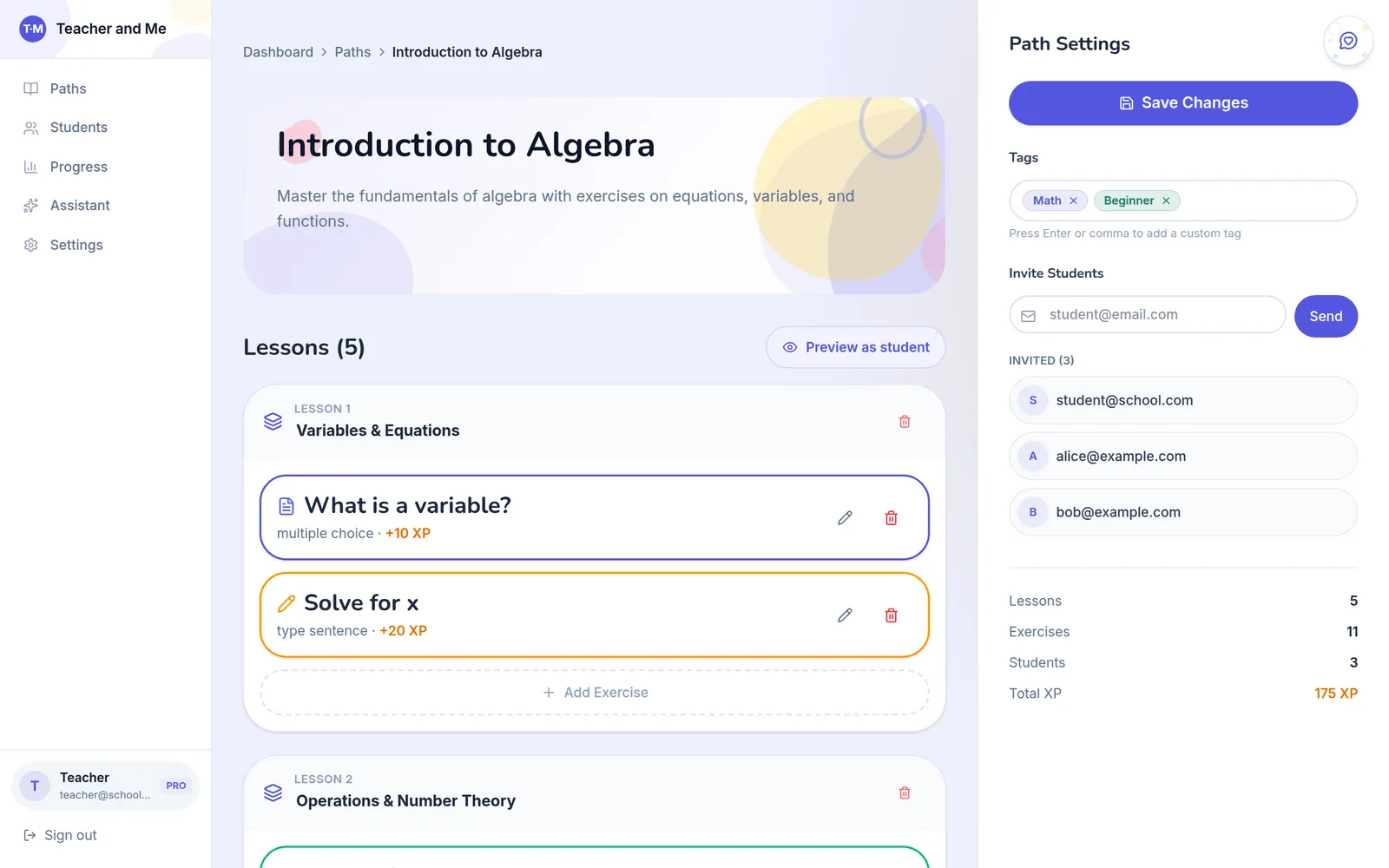
The path editor is where the real work happens, and it's where Teacher and Me is fastest. Lessons stack vertically; exercises live inside them with their type and XP value visible. Inviting a student is one email field away, and the Preview as student button shows you exactly what they'll experience before you assign anything.
Creating an exercise is a single form. Pick one of seven exercise types (multiple choice, type-the-sentence, true/false, match-the-pairs, sentence reconstruction, fill-in-the-blank and pronunciation), write the question, mark the correct answer, and optionally add an explanation that students see after a wrong attempt. Each exercise carries its own XP reward (10/20/50), so harder exercises weigh more:
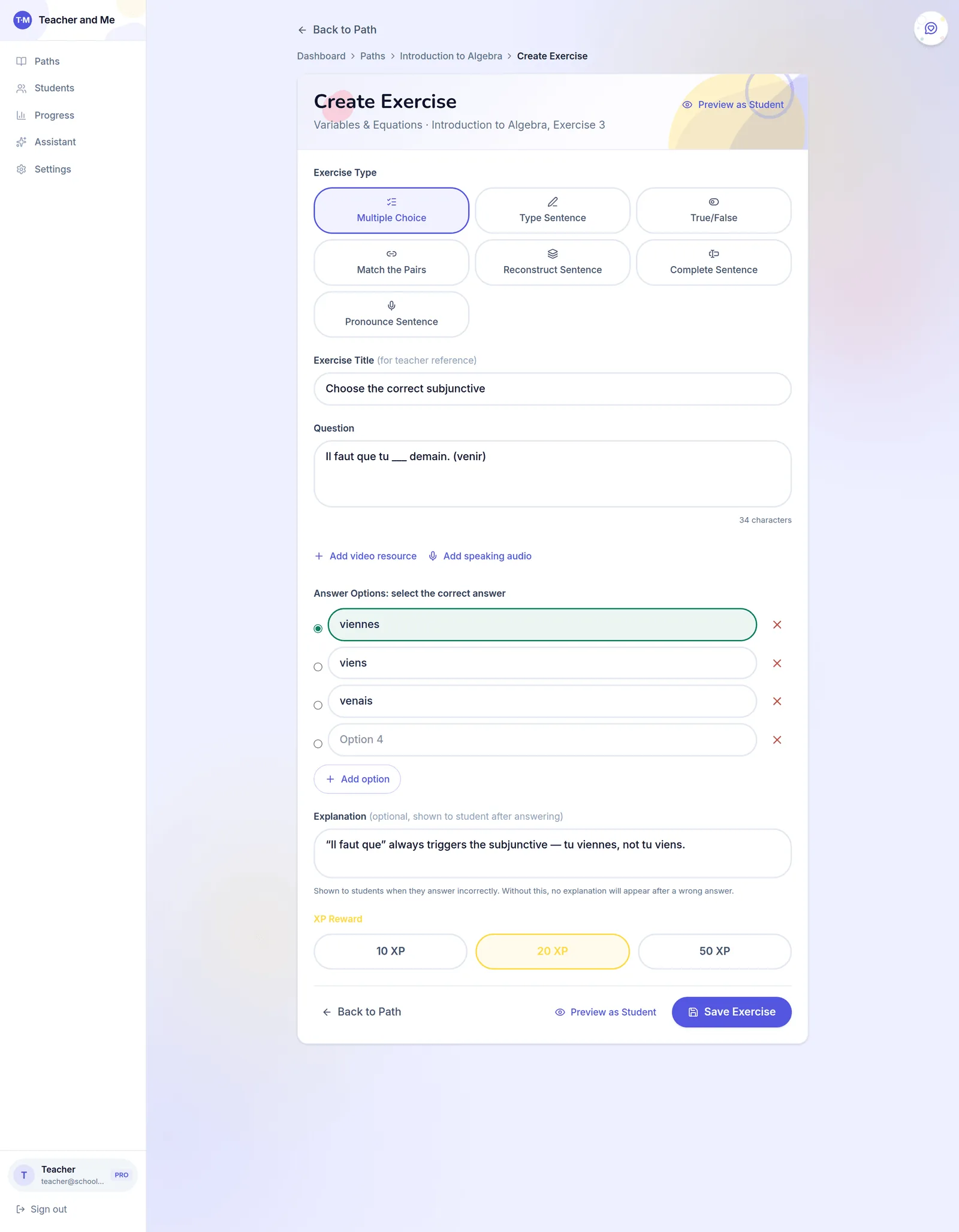
You can also attach a YouTube video or a speaking-audio clip to any exercise, and preview it as a student before saving. That variety is enough to check real understanding rather than recognition.
See what actually happened between sessions
This is the part worksheets can't do. Your student roster shows who's active and who's drifting:
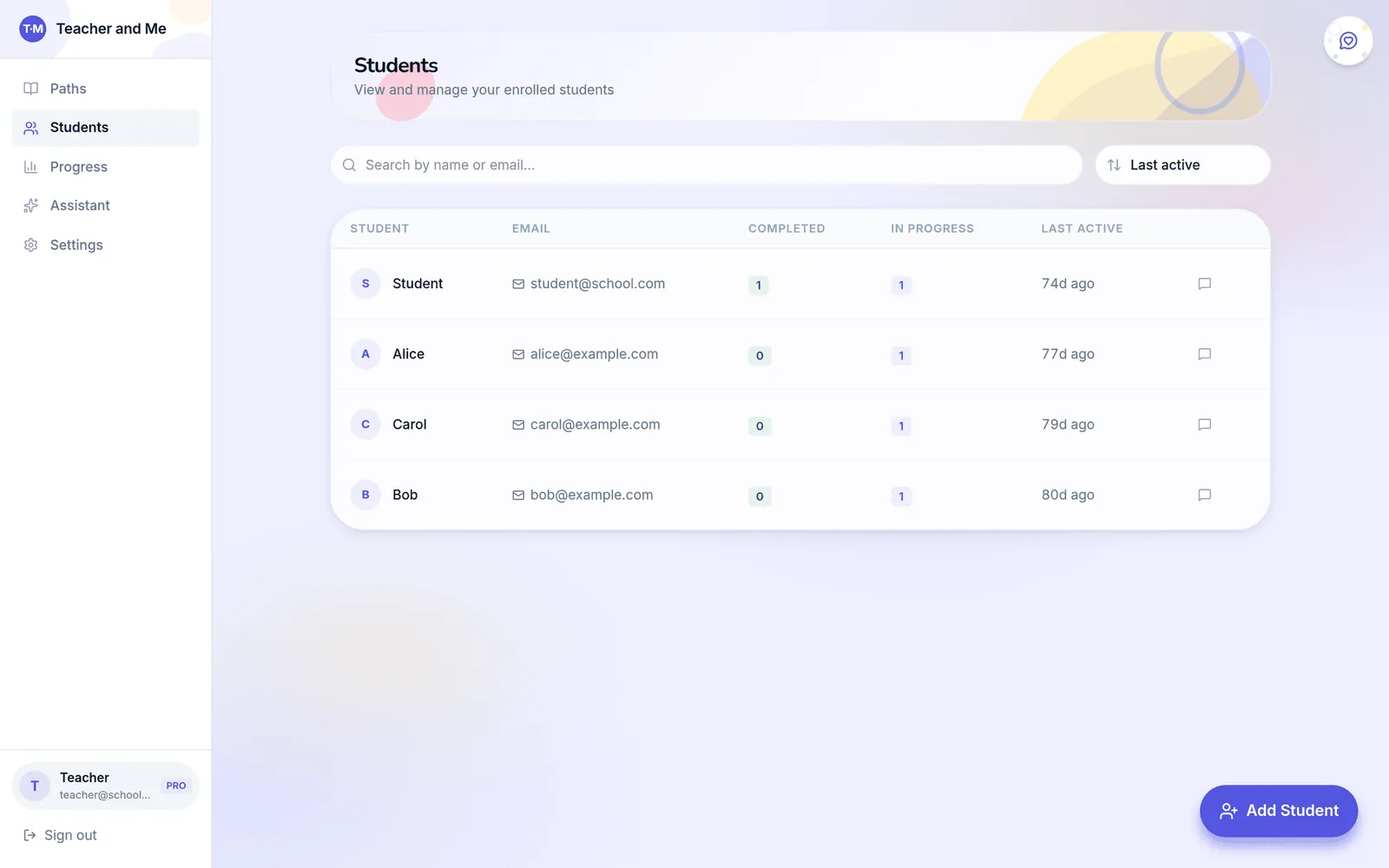
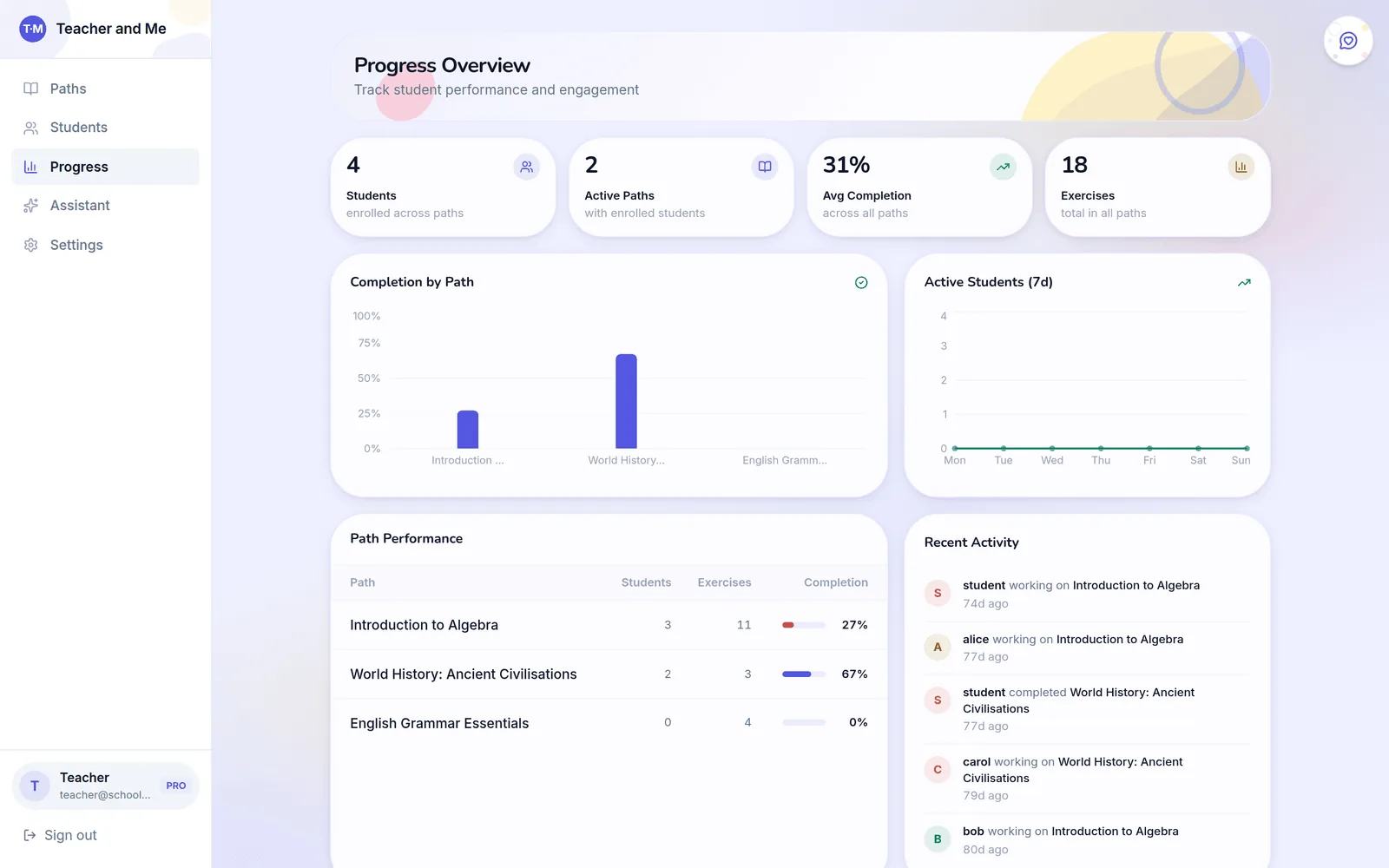
And the progress overview turns their practice into something you can act on: completion by path, active students over the week, per-path performance and a feed of recent activity.
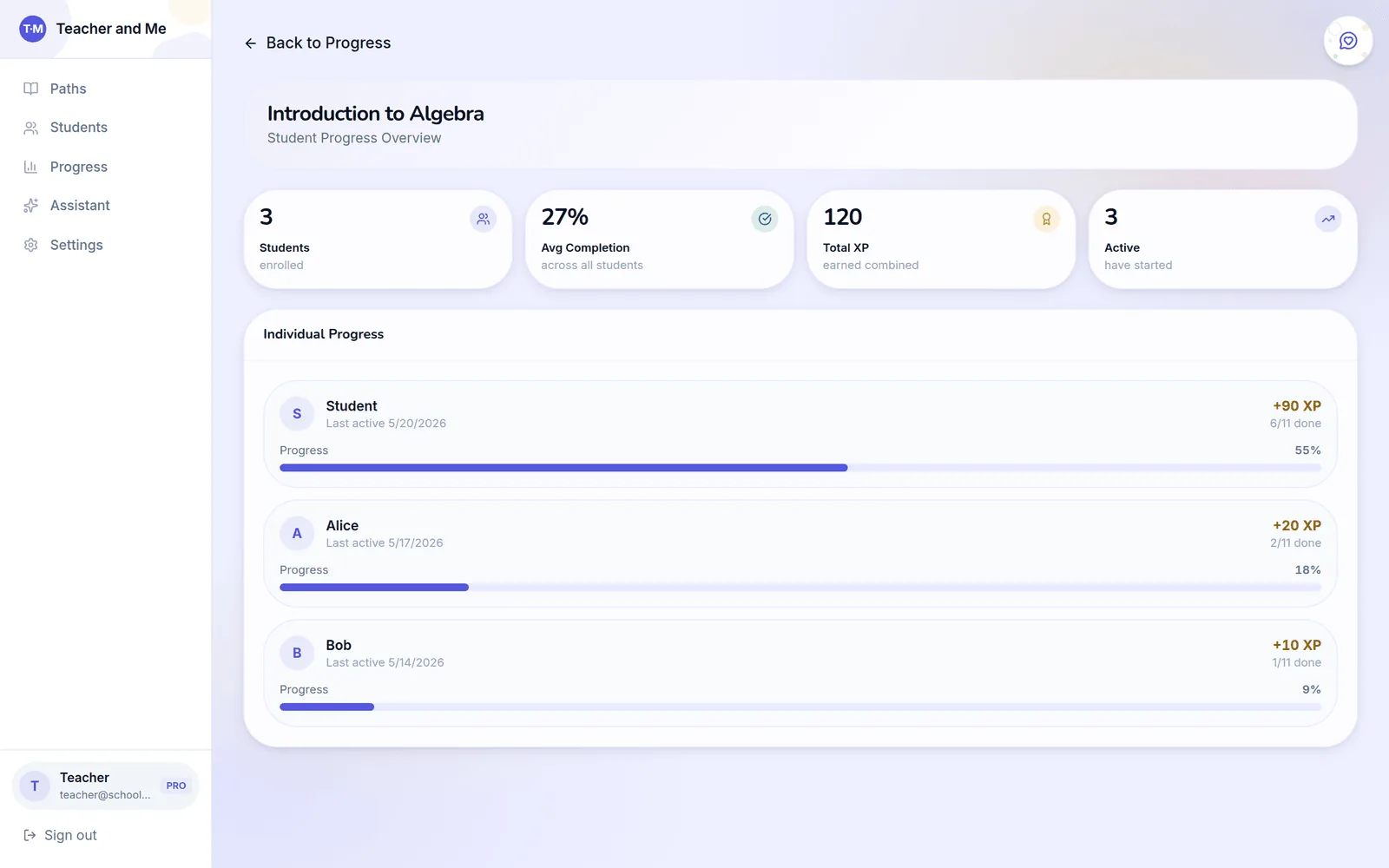
Every path also has its own progress page: per-path completion, XP and an individual list showing exactly how far each student got and when they last worked:
When one student is your focus (say, before their session tomorrow), their profile goes down to the exercise level. The Analytics tab charts their score over time against the class average, time spent per exercise versus the class, and retry rates by path:
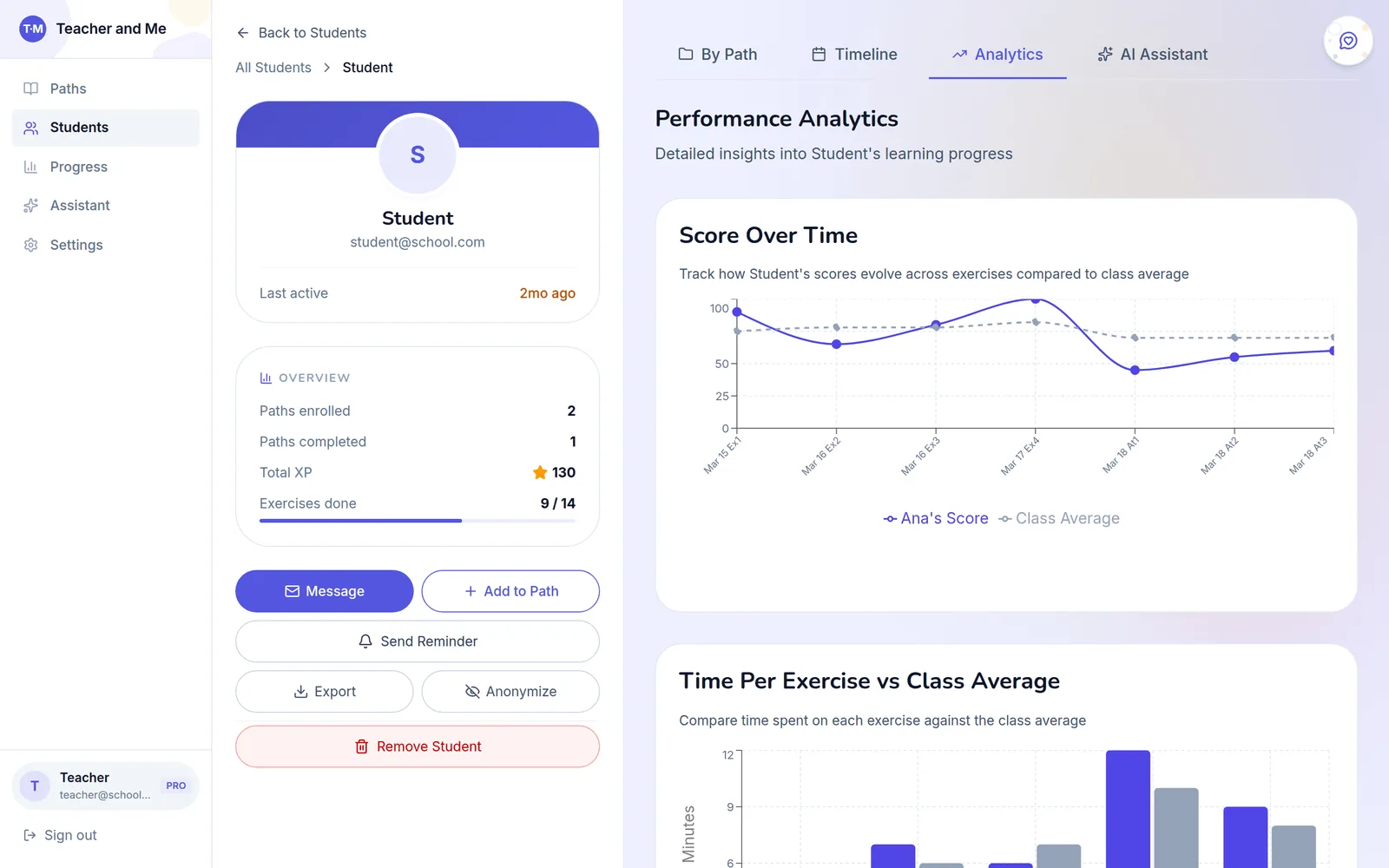
Before a session, that means you open one screen and know: who practised, what they retried, which exercise tripped them up, and whether it took them two minutes or twelve. The re-diagnosis that usually eats the first fifteen minutes of a lesson is already done.
An AI assistant that knows your data
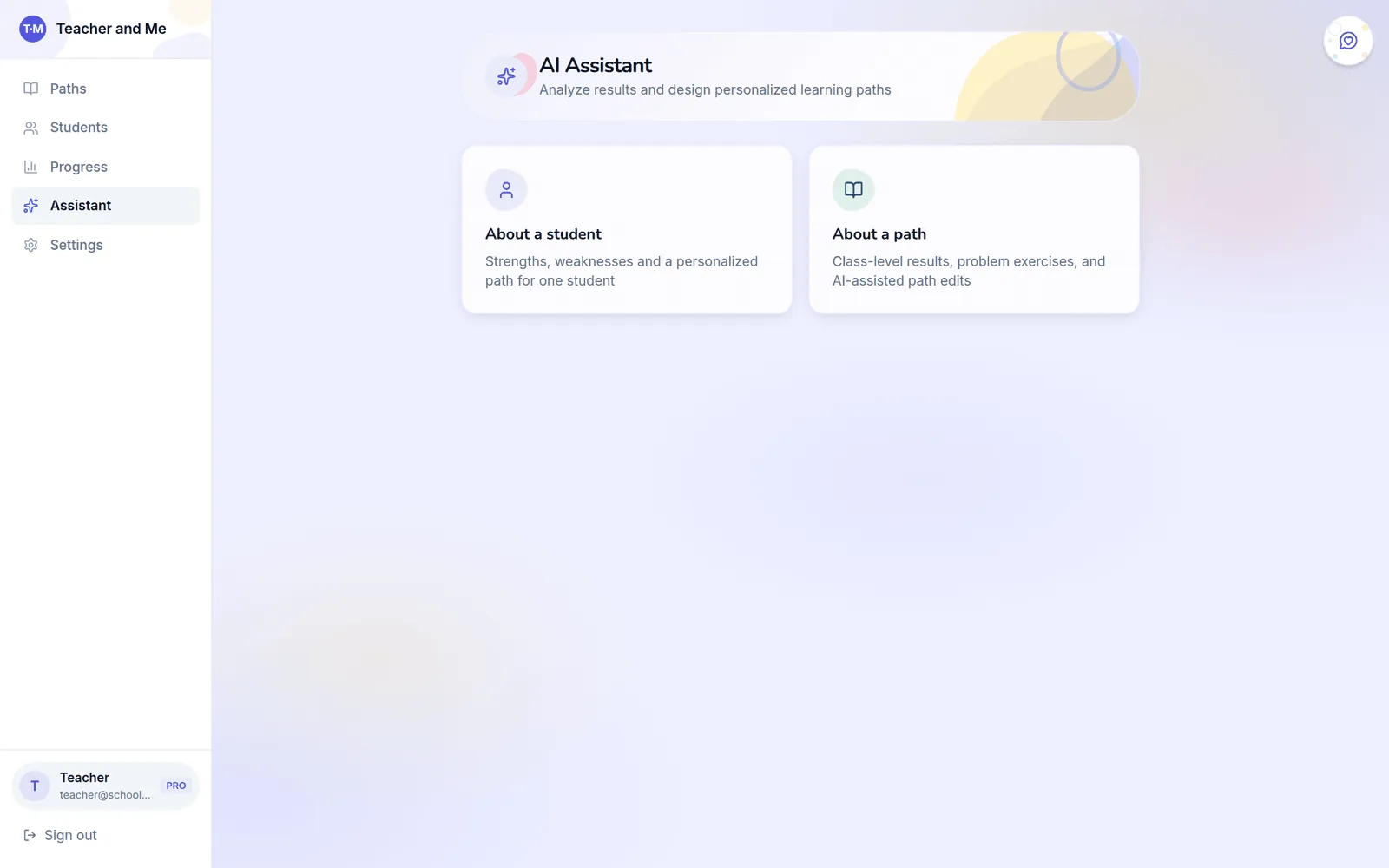
The built-in assistant answers questions about your students and your paths: strengths and weaknesses of one student, class-level trouble spots in a path, and AI-assisted path edits.
The student side: practice that doesn't feel like homework
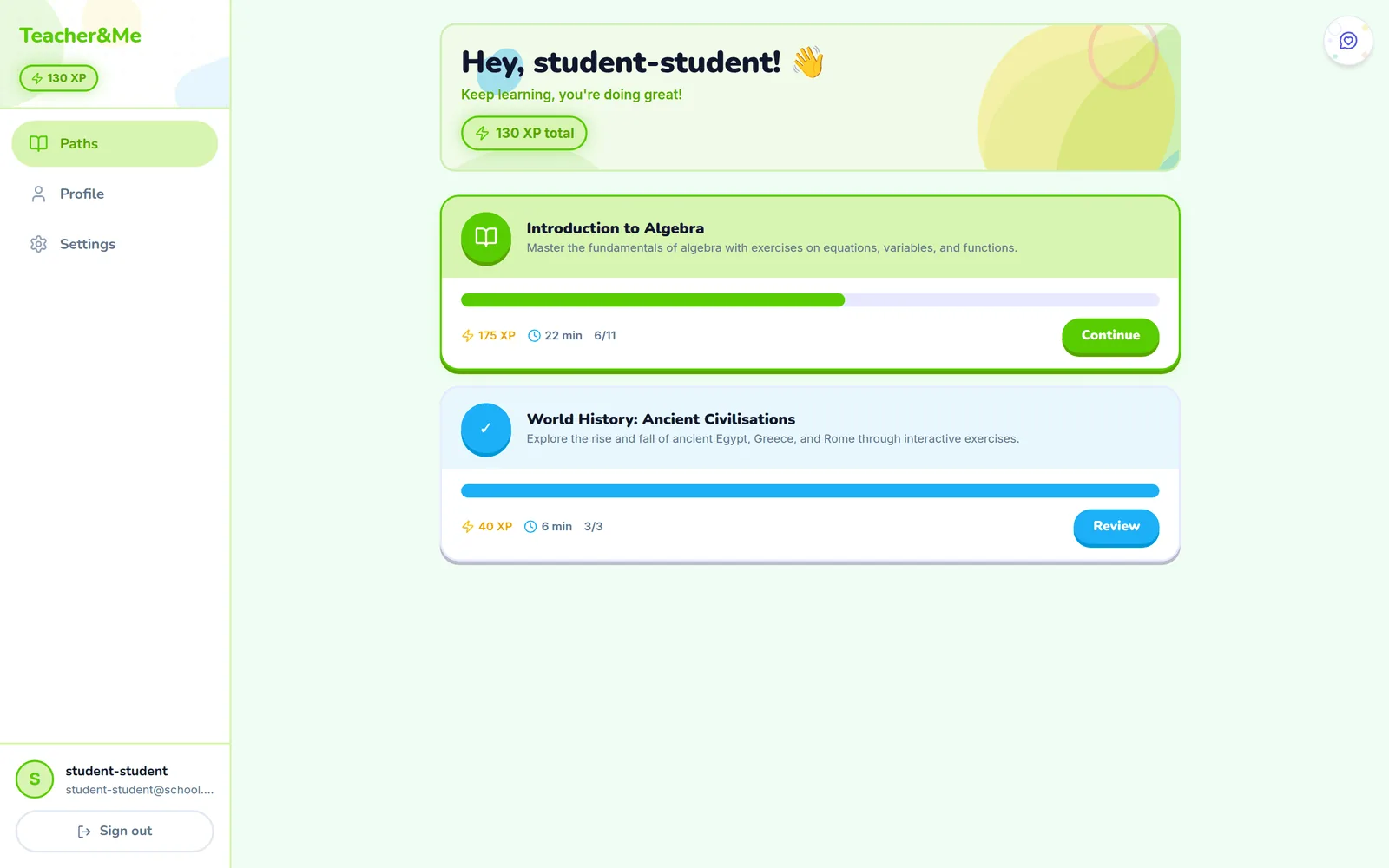
Your students see none of the dashboards above. Their home screen is a friendly list of assigned paths with progress bars and XP:
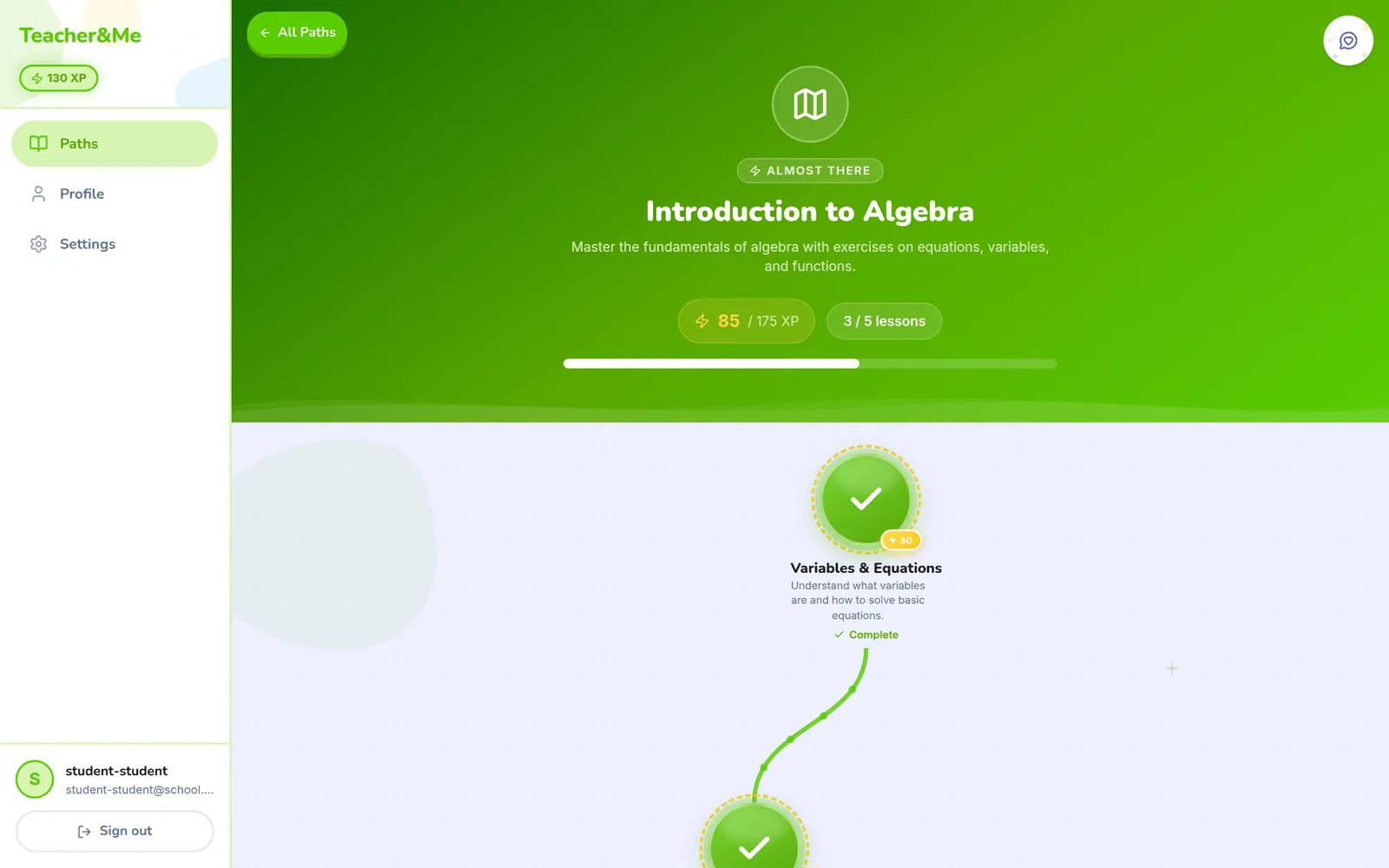
Each path unfolds as a visual journey, with completed lessons behind you and the current one marked “you are here”:
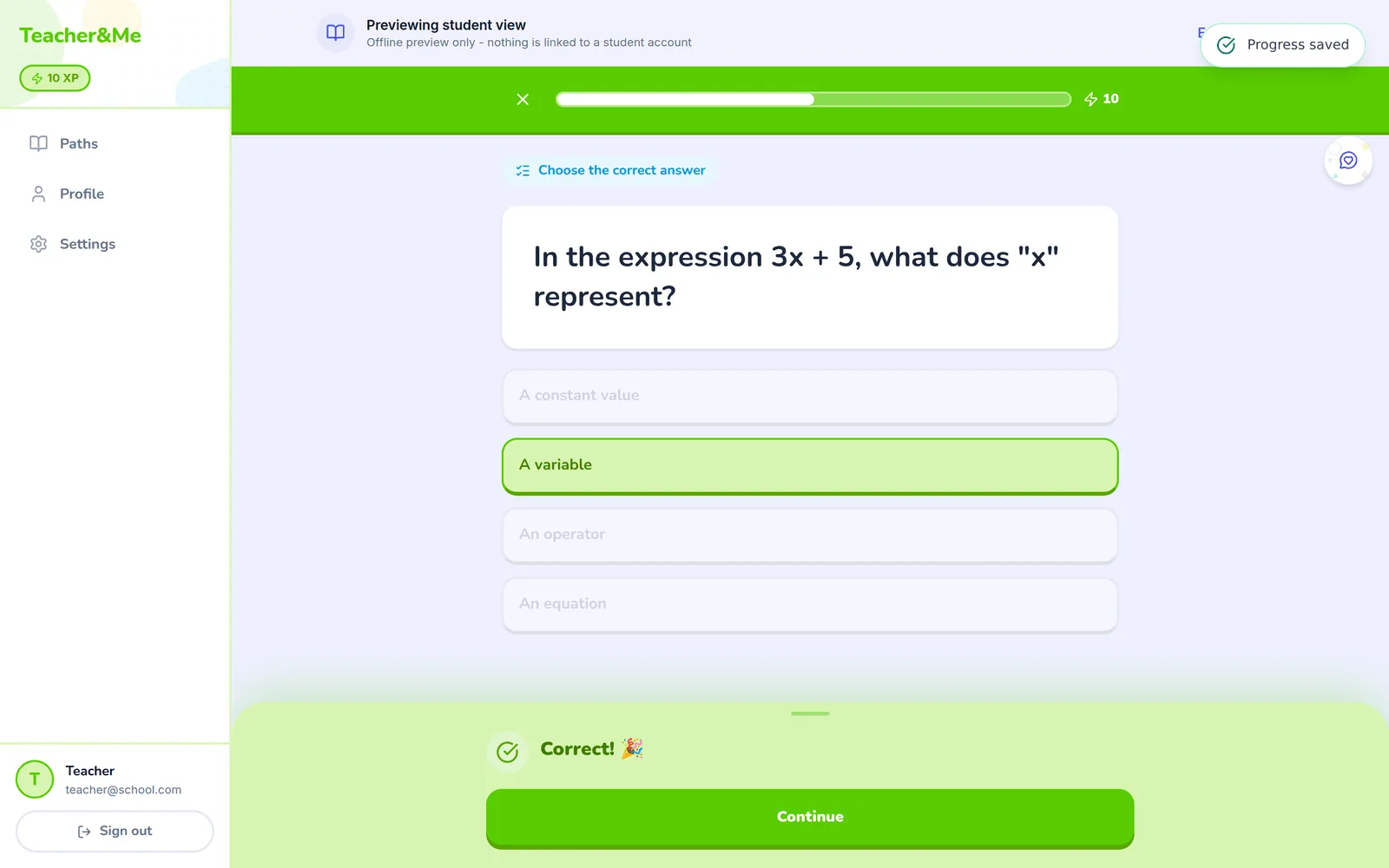
Inside an exercise, feedback is instant: right answers celebrate, wrong answers show the correction and move on. XP accumulates, streaks build, and progress saves automatically after every answer:
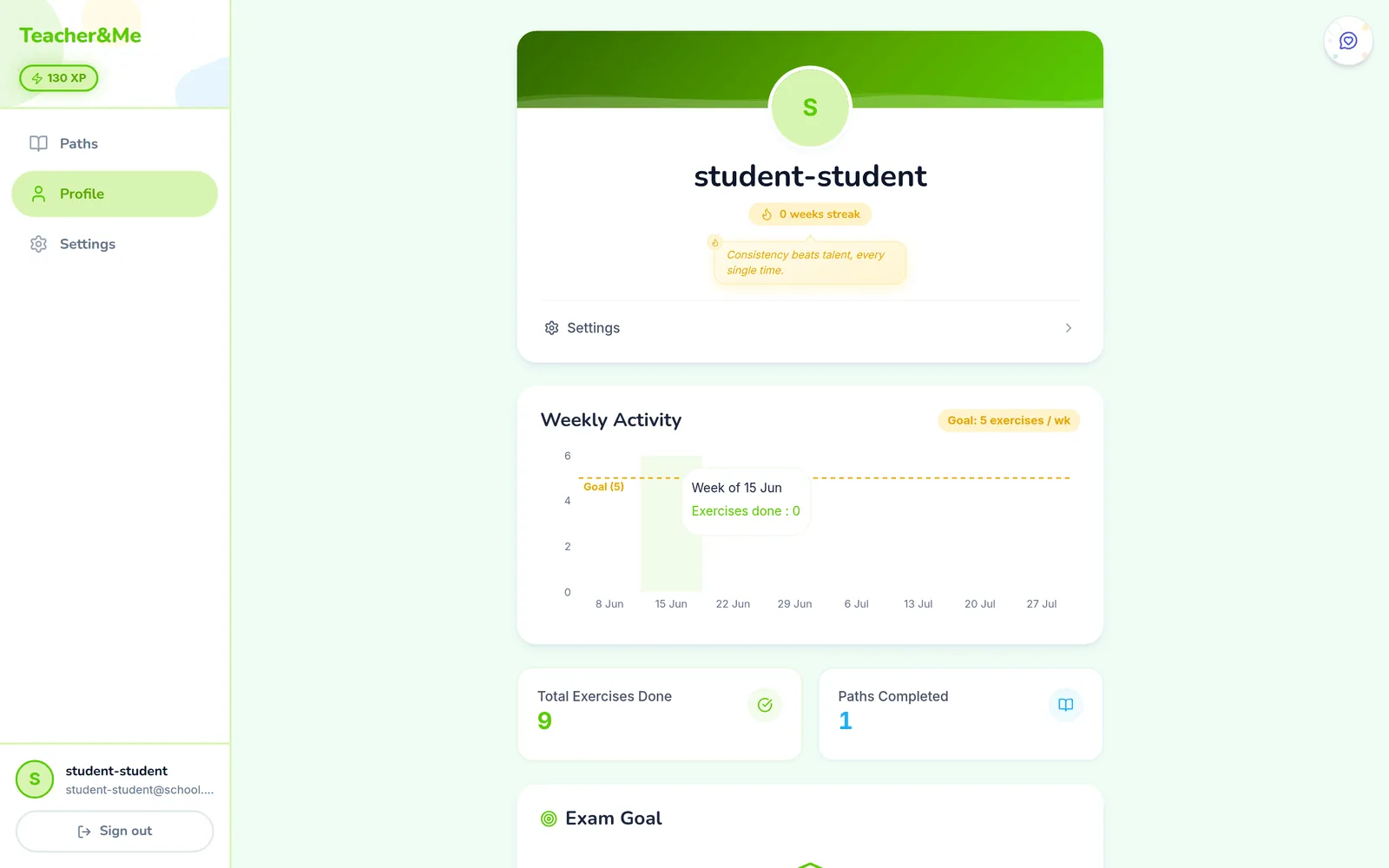
Students also get a profile with weekly activity against a goal, totals, and exam-goal tracking. It gives them their own reason to come back tomorrow:
Getting started takes a minute
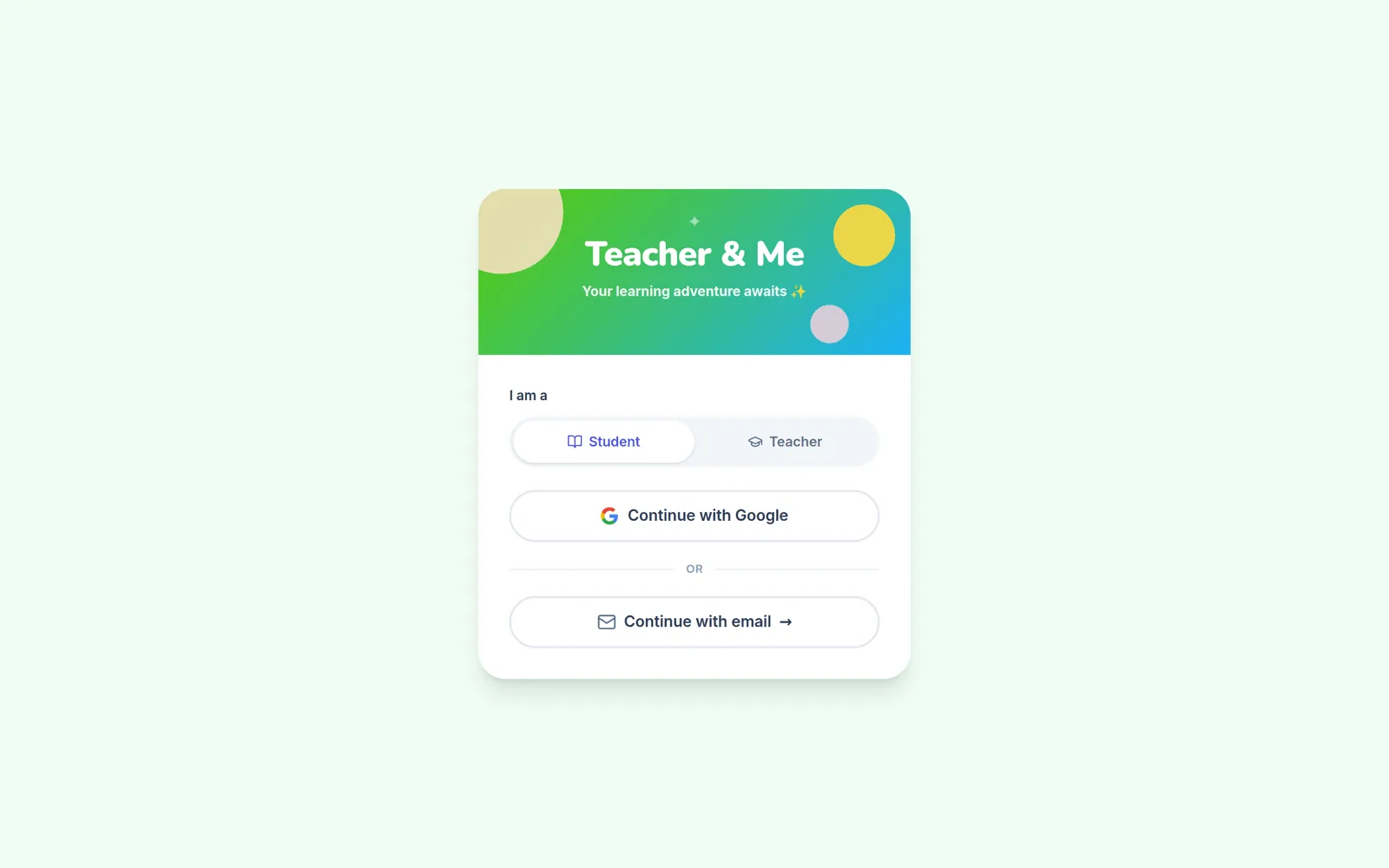
Sign-in is passwordless: pick your role, enter your email, type the 6-digit code, or use Google. Students join the same way, from an invitation you send inside the path editor.
A few things you don't see in screenshots but would notice in week one:
- Works offline. Teacher and Me is an installable web app; students can practise on the train and their progress syncs when they're back online.
- Accessible by design. The interface targets WCAG AA: real focus states, screen-reader-friendly structure, and reduced-motion support throughout.
- Privacy-first. No ad trackers, and student data exists to serve exactly one relationship: yours.
Who it's for
Teacher and Me is built for independent language tutors, whether one-to-one or small groups, and their adult or teenage students. If your current between-session workflow is “I email a PDF and hope”, this replaces it with something students actually finish, and with evidence you can teach from.